Tools & Calculators · · 1 min read
Area Calculator of Any Shape (CSV)
Calculate the area of any polygon by uploading a CSV of coordinates. Free, works offline in the browser, with column mapping and row selection.
Live readers, last 5 h 0Total visitors 3,962
How to Use?
📐 Area Calculator of Any Shape (CSV Import)
A browser-based tool to calculate the area of any polygon shape by uploading a CSV file with coordinates.
Runs fully offline in any browser — ideal for surveyors, engineers, or planners working in the field.
✨ Features
- 📂 CSV Upload – Import coordinate data directly from a CSV file
- 🗂️ Column Mapping – Choose which columns are X, Y, Name, or Z
- ✅ Row Selection – Enable or disable rows to include/exclude points
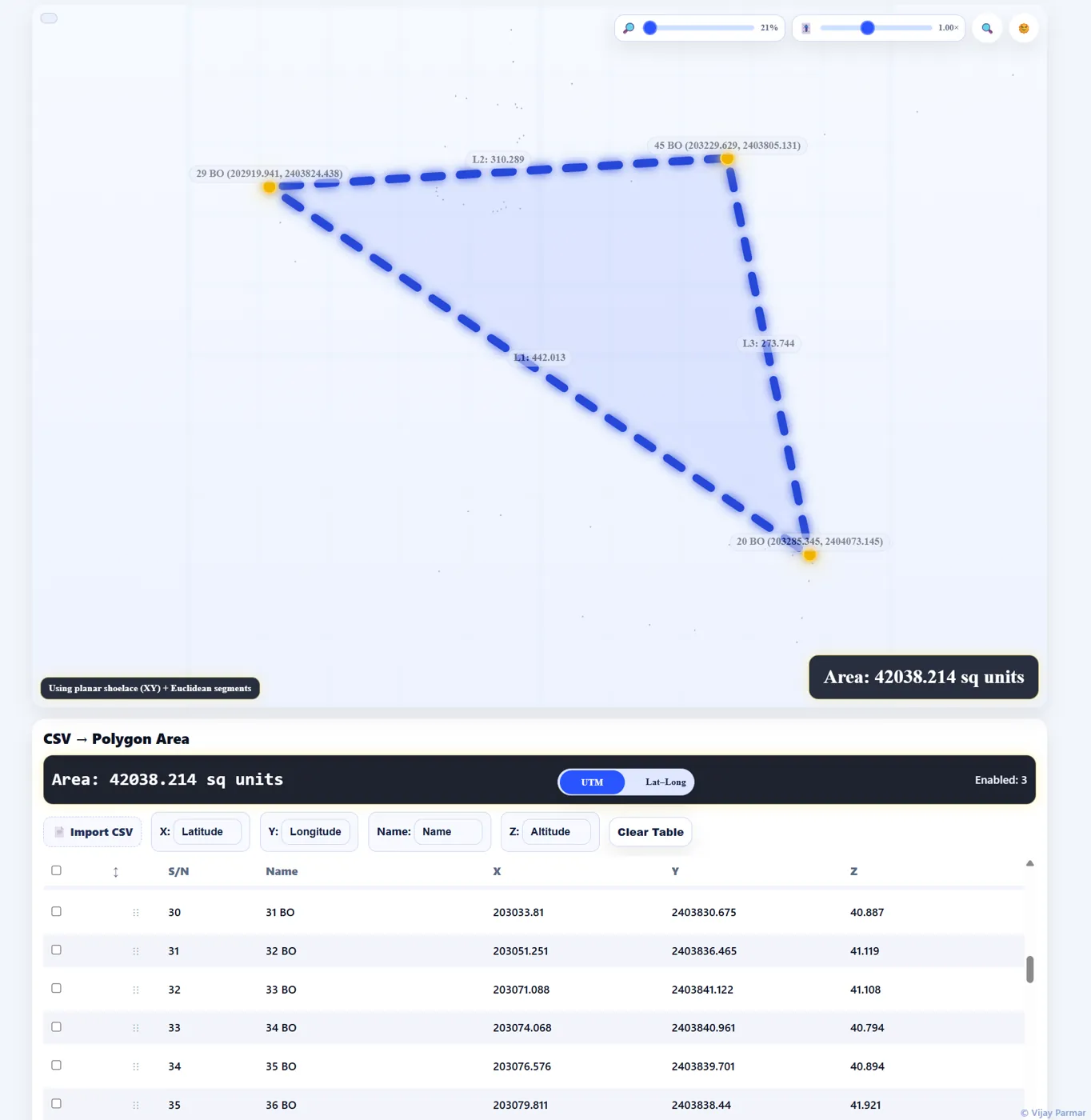
- 📊 Interactive Visualization – Polygon drawn on a grid with side lengths shown
- 📏 Segment Lengths – Each edge displays its computed length
- 🧮 Area Calculation – Works in both:
- UTM / Local XY mode (shoelace formula, planar)
- GCS Latitude/Longitude mode (spherical excess formula on Earth’s radius)
- 🌓 Dark/Light Theme – Toggle theme for comfort in field/outdoor use
- 🔍 Zoom & Pan – Inspect shapes interactively
- 📱 Offline Ready – Works without internet, even on mobile phones
🖼️ Preview
🚀 How to Use
- Open
Area Calculator of Any Shape with CSV.htmlin your browser. - Click 📄 Import CSV and select your file.
- Map the correct X and Y columns.
- Select the rows you want to include in the calculation.
- The tool will:
- Draw the polygon
- Display segment lengths
- Compute and show the area in real-time
📄 Example CSV
Point,X,Y P1,0,0 P2,10,0 P3,10,10 P4,0,10🌍 Coordinate System Support
- UTM / Local Coordinates → Planar area using shoelace formula
- GCS (Latitude/Longitude) → Distances via haversine formula + spherical excess area computation
⚡ Why Use This Tool?
- 💻 No heavy GIS or CAD software needed
- 🌐 No internet required — runs completely offline
- 📱 Works on phones, tablets, and desktops
- 🧑💼 Perfect for surveyors, engineers, and field staff