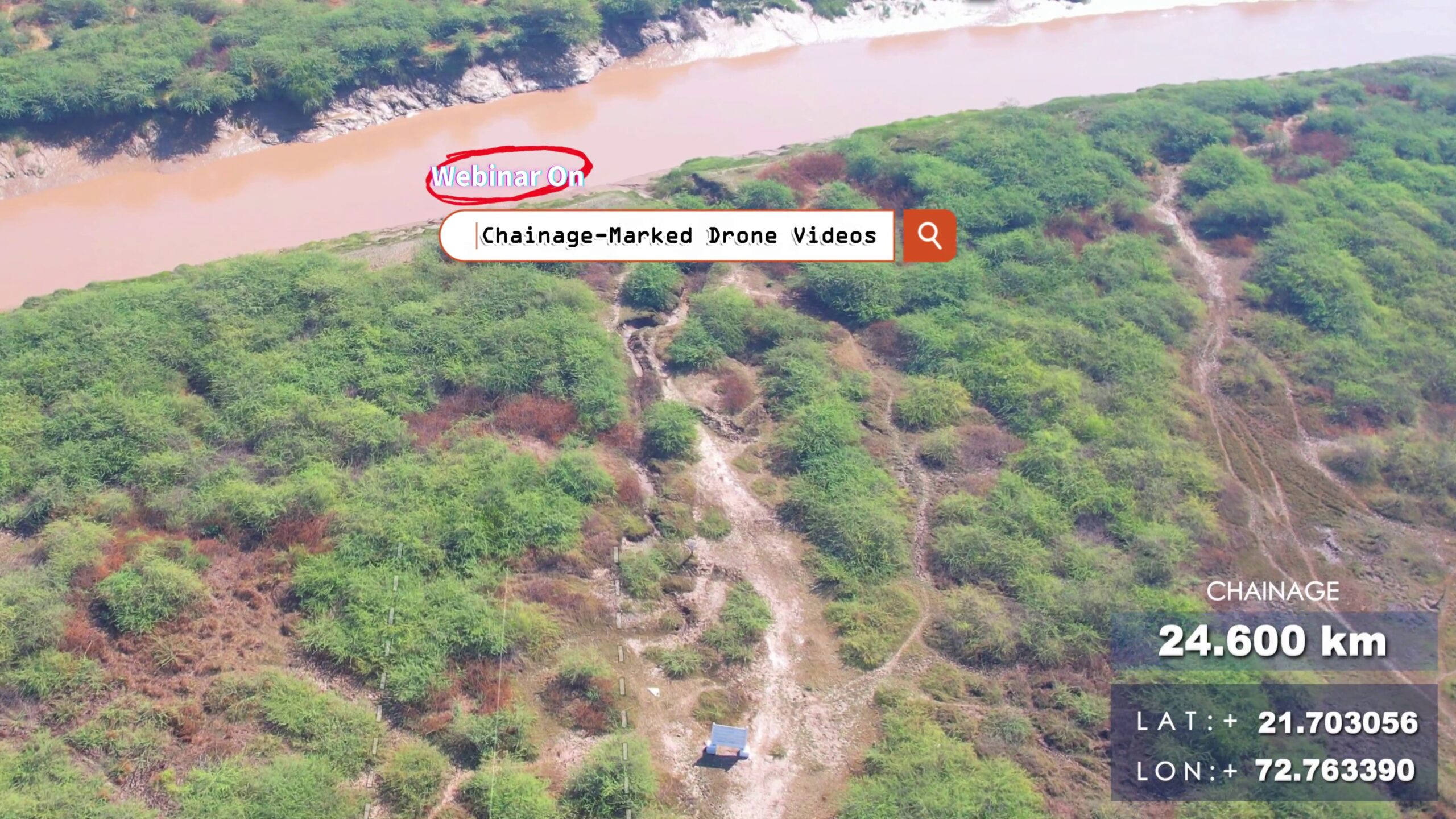
Learn how to turn your corridor drone videos into powerful tools with chainage labels.📌 Topics Covered:✅ Drone camera angle & flight plan tips✅ SRT telemetry from drones✅ Chainage calculation using GPS logs – Free Script & Tool✅ Overlaying chainage text on video – Video Editing Tips ⚙️ DRONE SRT to CHAINAGE AND OTHER SRT COVERTER TOOL :🔩 https://bgol.in/2025/09/20/tool-chainage-marked-drone-videos/ Other Links:⦿ Math – Haversine Formula: https://en.wikipedia.org/wiki/Haversine_formula⦿ Flight Visualizer: https://djitelemetryoverlay.com/srt-viewer/ ⦿ Camera Telemetry Creator: https://goprotelemetryextractor.com/drone-heads-up-display⦿ Video Editing Tool: https://filmora.wondershare.net/⦿ Google Earth: https://www.google.com/intl/en_in/earth/about/versions/⦿ Dronelink: https://www.dronelink.com/ Connect with me: https://www.linkedin.com/in/thevijayparmar/ Join BGol Community: https://bgol.in/register

Tool – Chainage-Marked Drone Videos
This app could not be embedded due to browser/security settings. Open DJI Chainage Extractor (opens in a new tab) Drone Chainage & SRT Processing A Streamlit application that automates extraction and processing of GPS metadata from DJI drone video .srt files, generates chainage markers along a reference alignment (KML), and produces synchronized SRT outputs and 3D visualizations. 🚀 Purpose 📋 Features & Workflow 🔍 Under the Hood: Mathematical Background 1. Haversine Formula Computes great‐circle distance between two GPS points (φ1,λ1) and (φ2,λ2): Δφ=φ2−φ1,Δλ=λ2−λ1,a=sin2(Δφ/2)+cosφ1,cosφ2,sin2(Δλ/2),d=2Rarcsin(a), where: 2. Cumulative Chainage Given points P0,P1,…,Pn: Ck=∑i=1kd(Pi−1,Pi), where d() is the segment length from Haversine. 3. Regular Interval Markers To place markers every Δ km:

Number to Words (India)

🔺 Triangle Sides Calculator
📐 Right‑Angle Triangle Field Calculator A practical offline field tool for surveyors and engineers to quickly compute the third side of a right‑angled triangle.Ideal for marking right angles in the field using methods like 3‑4‑5 triangle or for custom dimensions. ✨ Features 🧮 Triangle Computation 🎨 Interactive Visualization 🖥️ UI & Usability 📑 Formula & Explanation 🖼️ Preview 🚀 How to Use 📄 Example Use Case ⚡ Why Use This Tool?

Traverse Adjustment Tool
How to Use? 🎯 Total Station Accuracy Visualizer A modern offline web tool to visualize and compare the angular accuracy vs. linear error of different Total Stations and a Theodolite.Ideal for surveyors and engineers when deciding what instrument suits their project requirements. ✨ Features 📏 Supported Instruments 📐 Accuracy Visualization 🧮 Built-in Calculations 🎨 UI & Experience 🖼️ Preview 🚀 How to Use 📄 Example ⚡ Why Use This Tool?

Total Station Accuracy Visualizer
🎯 Total Station Accuracy Visualizer A modern offline web tool to visualize and compare the angular accuracy vs. linear error of different Total Stations and a Theodolite.Ideal for surveyors and engineers when deciding what instrument suits their project requirements. ✨ Features 📏 Supported Instruments 📐 Accuracy Visualization 🧮 Built-in Calculations 🎨 UI & Experience 🖼️ Preview 🚀 How to Use 📄 Example ⚡ Why Use This Tool?

Surveyor Calculator
🧮 Surveyor Calculator A smart calculator built for surveyors and civil engineers, running fully offline in the browser.Beyond standard arithmetic, it includes engineering‑focused tools for quick geometry, unit conversions, and field utilities. ✨ Features 🔢 Standard Calculator 🌙 Appearance & Usability ☰ More Functions (Engineering Toolkit) Click More to unlock advanced tools: 🕒 Productivity 🖼️ Preview 🚀 How to Use 📄 Example Usage ⚡ Why Use This Tool?

Polygon Partition Tool
How to Use? 🧩 Polygon Partition Tool A specialized offline polygon partitioning tool built for land surveyors, civil engineers, and GIS practitioners.It allows you to draw, import, partition, and calculate areas/perimeters of polygons directly in the browser.Perfect for fieldwork and planning tasks where advanced GIS software is not accessible. ✨ Features 📂 Input & Setup ✂️ Partitioning 📐 Measurement & Units 📊 Outputs 🎨 UI & Usability 🖼️ Preview 🚀 How to Use 📄 Example CSV Input ⚡ Why Use This Tool?

Multi-Converter (Linear, Area, Volume, Slope)
🧭 Surveyor Multi-Converter A powerful all-in-one offline conversion tool designed for land surveyors and civil engineers.It helps in linear, area, volume, and slope conversions with support for both international units and local Indian units often used in field practice. Runs directly in your browser without internet — perfect for fieldwork where network access is limited. ✨ Features 🔁 Linear Conversion 📐 Area Conversion 📦 Volume Conversion ⛰️ Slope Conversion & Visualization 🖼️ Preview 🕒 Productivity Boosters 🚀 How to Use 📄 Example Usage ⚡ Why Use This Tool?

Area Calculator of Known Shapes
🟦 Area Calculator of Known Shapes A fun and interactive browser-based tool to calculate the area of common 2D shapes such as:Square, Rectangle, Triangle, Circle, Trapezoid, and Parallelogram 🎉.Runs completely offline and works on any device with a browser. ✨ Features 🖼️ Preview 🚀 How to Use 📄 Example Input ⚡ Why Use This Tool?